Case Study — In Progress
Anchor — A care companion for the people holding everything together, in a system that was never designed for them.
TYPEProduct Design
Healthcare UX, Emotional Accessibility
FOCUSUSERSFamily Caregivers, Self Advocates
STATUSIn Development

OVERVIEWCaregiving is full-time work, with tools built for someone else.
Family caregivers carry a cognitive load that never fully lifts. They track medications across years, remember which drugs caused reactions and which were discontinued and why, and prepare for fifteen-minute appointments that took months to schedule. They absorb clinical information nobody explained to them, while managing their own lives, health, and grief, often alone, often unacknowledged.
Anchor is a care companion built around that load. It brings medications, reactions, appointments, and questions for the care team into one place, and an AI companion explains clinical information in plain language. The goal is for a caregiver to open it and know what matters today. This case study documents the product as it exists so far.
WHERE IT STARTEDThis project began with a personal reality.
I grew up in Queens in an immigrant family, translating complex systems before I understood that translation was a skill. My brother Felix, who was autistic, showed me that the world makes more sense when someone takes the time to break it down.Anchor is named after him.
I have been my father's primary caregiver since his heart failure diagnosis in 2017. For nearly a decade, I've been the connective tissue between every part of his care, because doctors see a slice and the caregiver holds the complete picture, held in memory, in scribbled notes, in a folder of PDFs nobody else can read.
Anchor is my attempt to design what I needed and didn't have. I learned how to do this from my brother and why it matters from my father, and Anchor came out of both. The design principle running through every decision here is one I grew up practicing without knowing its name: plain-language design, making complex systems legible for the people who need them most.
THE STRUCTURAL PROBLEMWhy nothing good exists yet.
Most hospital patient portals came bundled with the record systems hospitals were already adopting. As a caregiver, I found them organized around the hospital’s tasks, like scheduling and billing, and much less around the person coordinating care at home.
What changed is the 21st Century Cures Act. Its interoperability and information-blocking rules require certified health IT to support patient-authorized access to records through standard APIs, so patients can send their data to an app of their choice. That makes it realistic for an independent caregiver product to exist without a separate agreement with every hospital.
THE CORE INSIGHTAnchor has two users who are sometimes the same person.
A caregiver in the morning can be the patient by afternoon. Someone managing a chronic illness alone is simultaneously giving care and receiving it. Someone who starts using the app without support may find a caregiver later and need to hand off context without losing history. The line between caregiver and patient isn't fixed. It's a situation people move in and out of, often without warning or support.
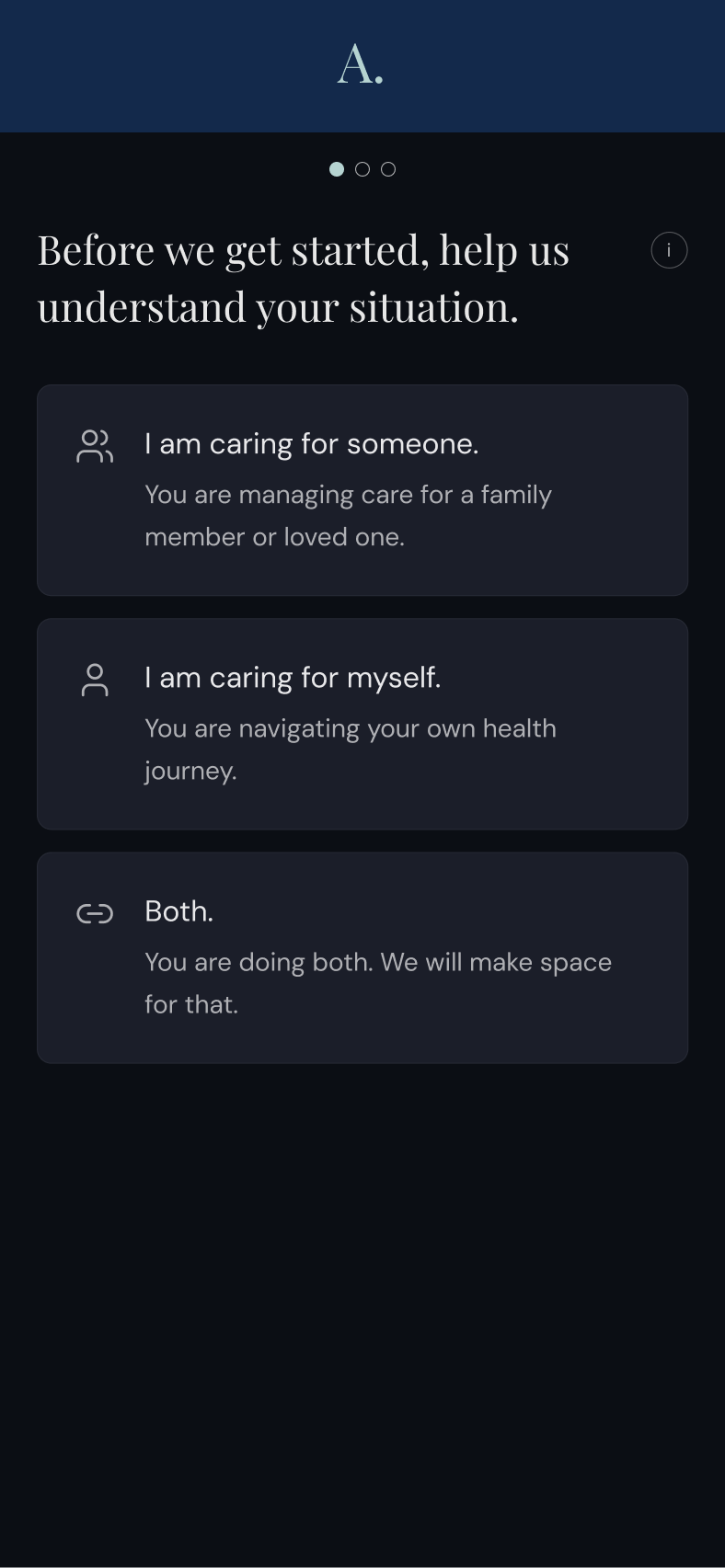
Onboarding presents three options: I'm caring for someone. I'm caring for myself. Both. The answer shapes the entire experience and can change at any time without losing what was built before. That flexibility is core to how the product is designed to grow: someone caring for a parent alone should eventually be able to loop in a sibling, and a solo patient should be able to bring in a caregiver when needed.
THE DESIGN SYSTEMEvery visual decision was made in the same room.
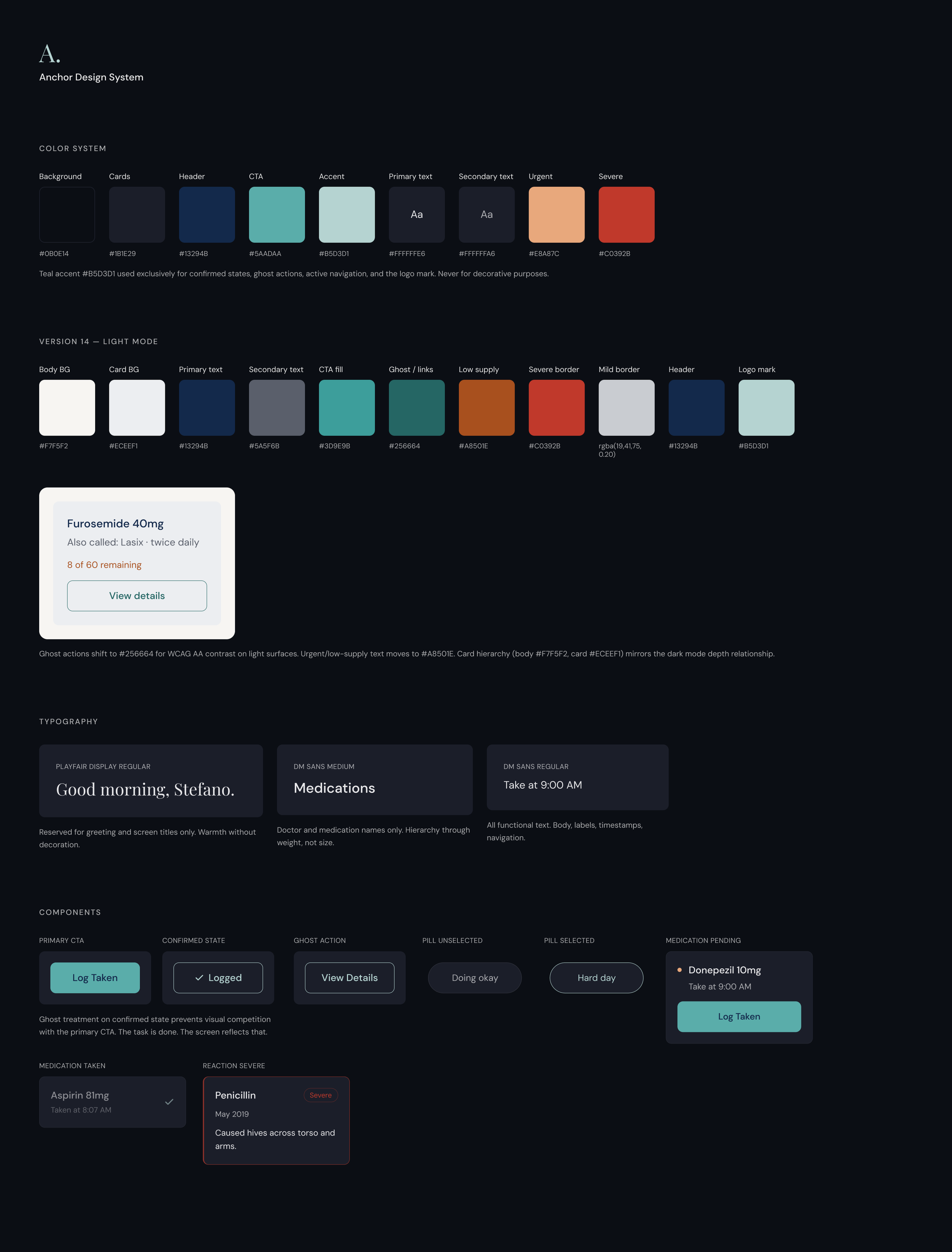
The visual language of Anchor was built around a specific moment: a caregiver at midnight, phone in hand, trying to find one piece of information without waking anyone up.
If an element doesn't reduce cognitive load or surface something that matters to this person right now, it doesn't exist on screen.
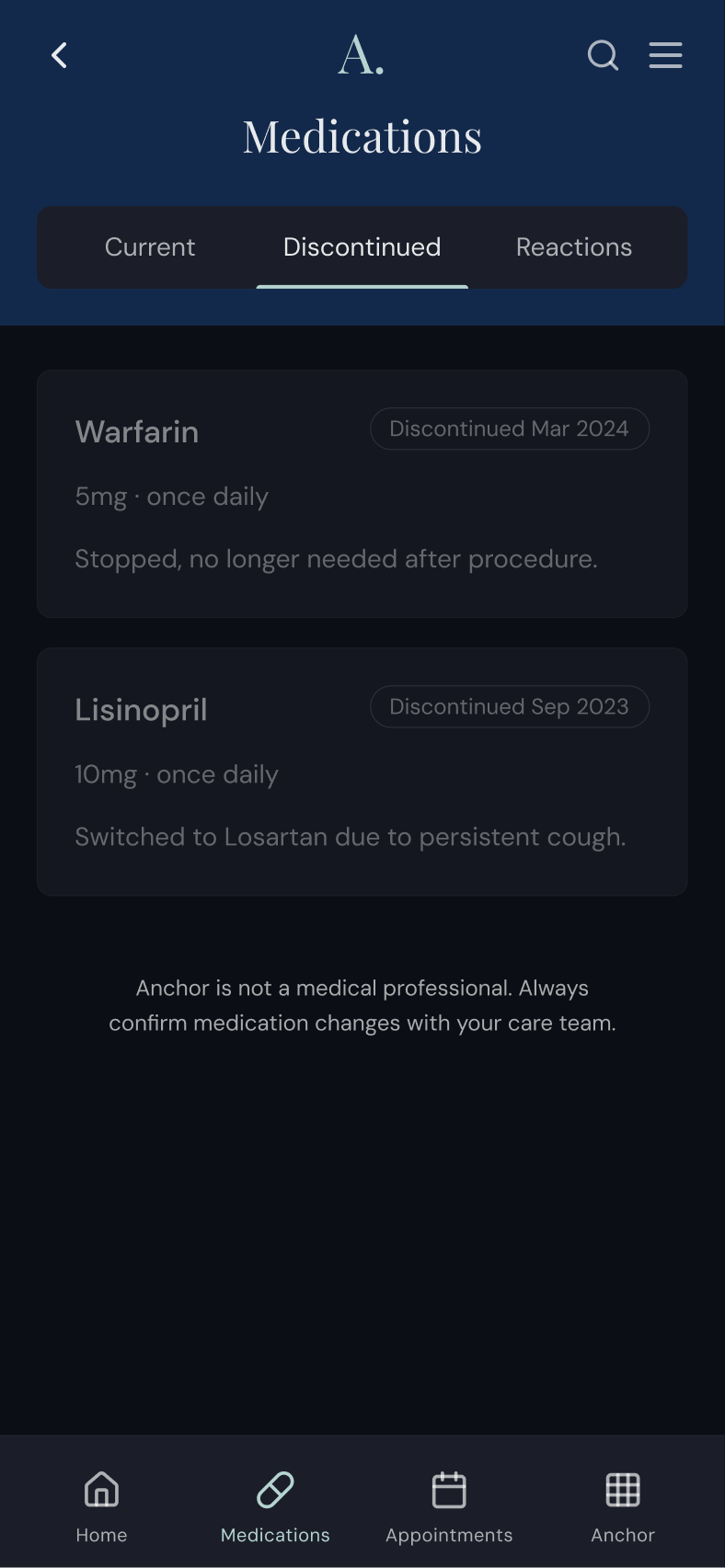
Dark mode as the default.
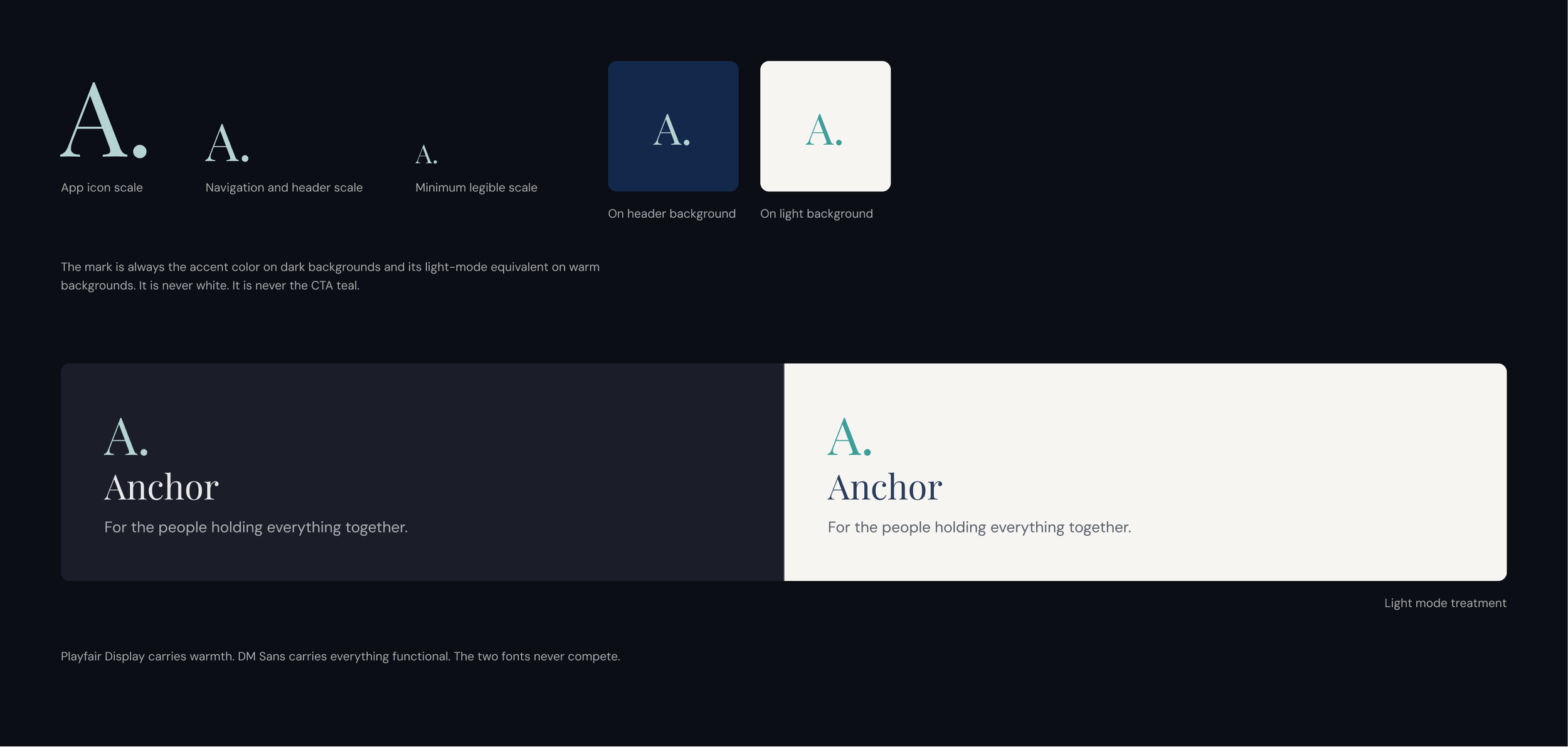
A deep navy header, near-black body, dark card surfaces. A single quiet teal accent reserved for primary actions, active states, and confirmed interactions only. Typography is deliberately restrained: Playfair Display for greetings and screen titles, DM Sans for everything functional.
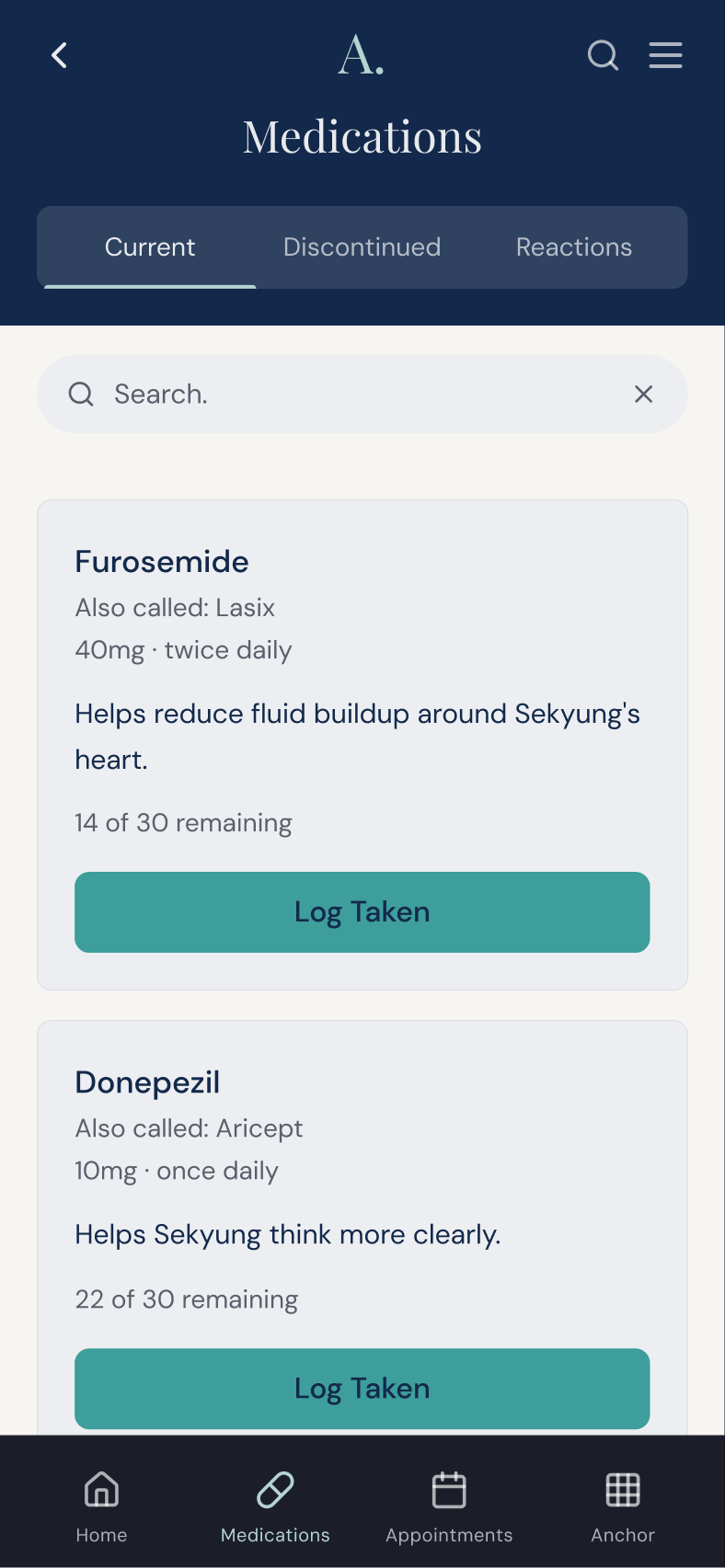
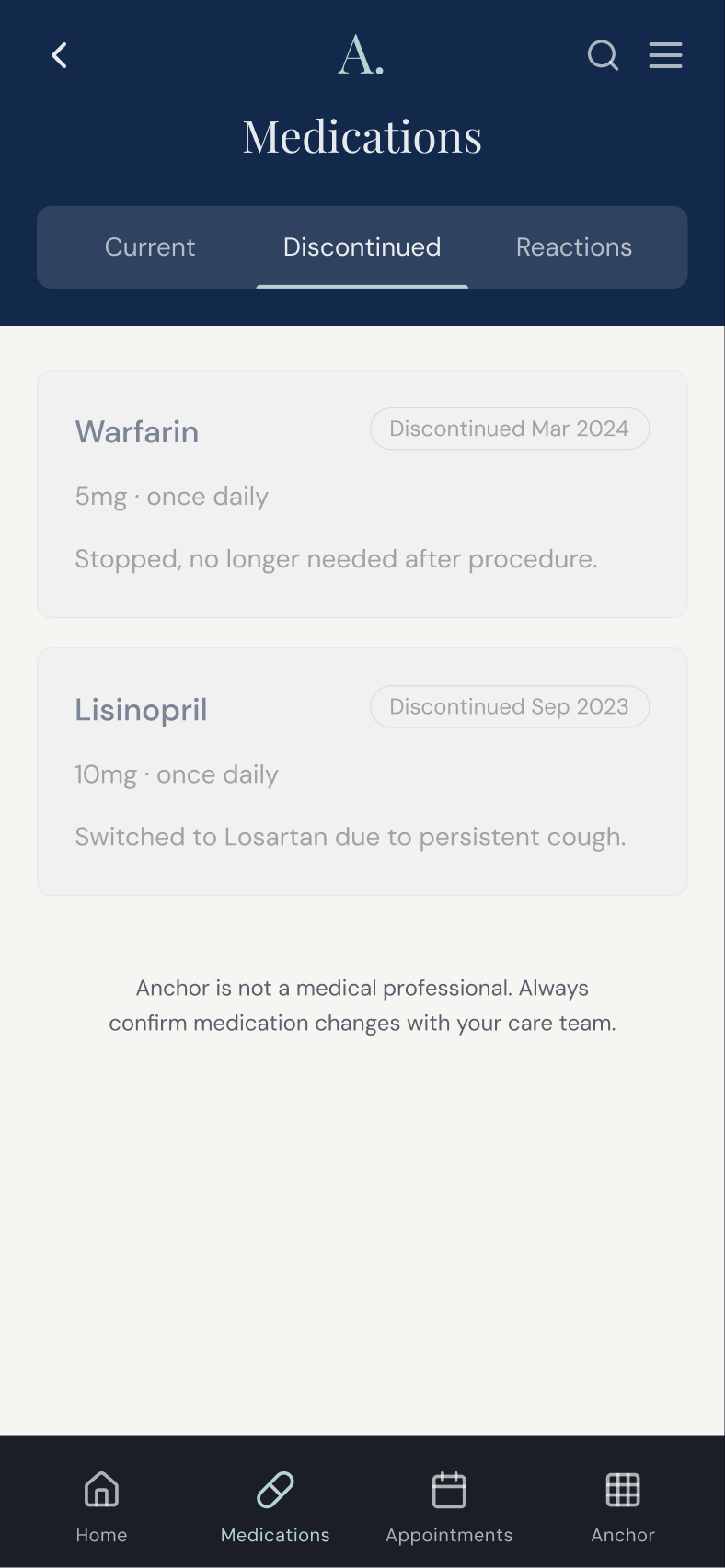
Light mode as the equal.
Built from warm off-white and cool light gray, with the same navy header anchoring both modes, giving light mode its own warmth instead of reading as an inverted dark mode.
Contrast and accessibility checks.
I checked every text and background combination against the WCAG AA contrast ratios: 4.5:1 for body text, and 3:1 for large text and interface components.
CORE FEATURES
Designed for the moments that matter most.
-
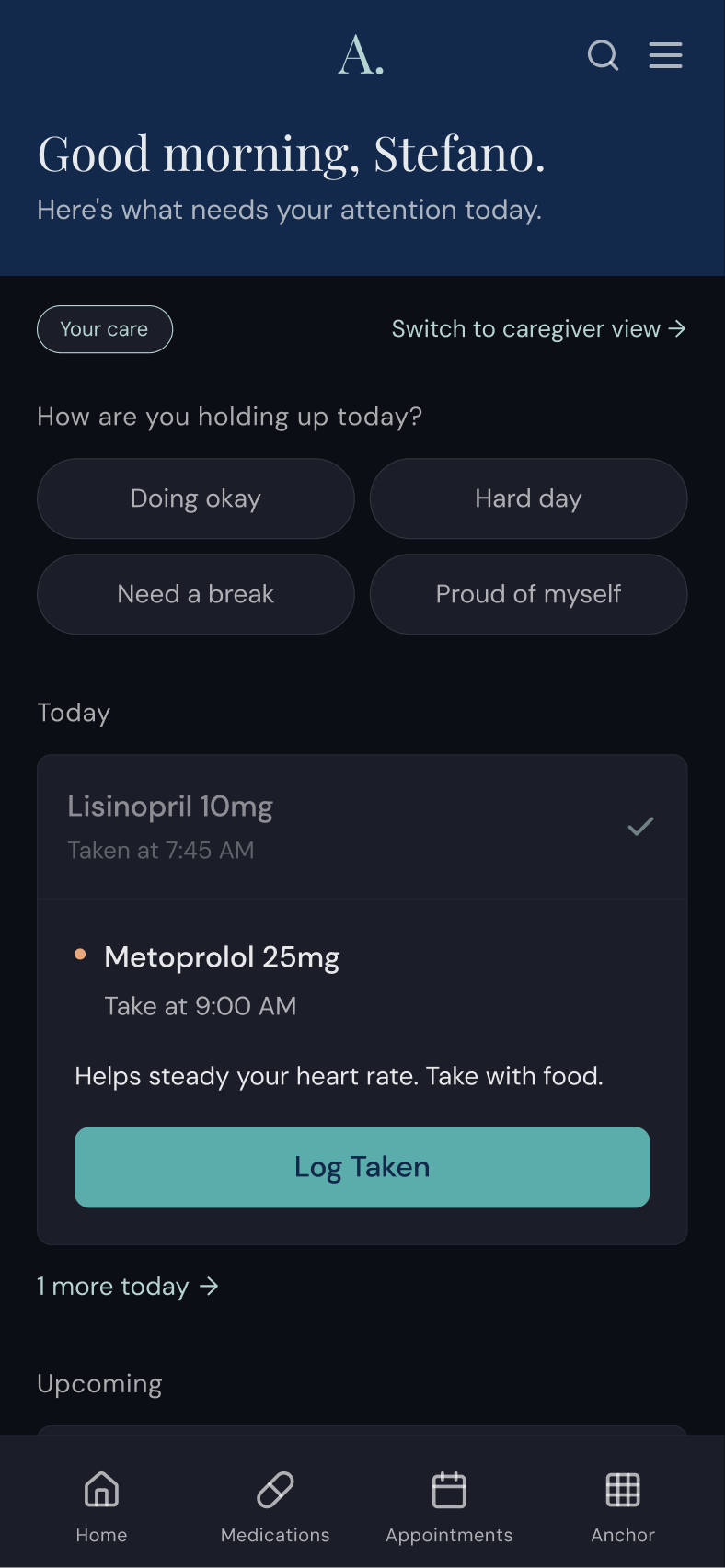
The home screen knows who the user is. After onboarding, it surfaces what matters to that specific person today. It opens with a warm greeting and a plain-language summary, followed by an expandable priority strip that shows the two most pressing items, with an option to reveal more. Urgent items, like a medication with a narrow window or a pre-procedure fasting requirement, are flagged with a small amber dot.
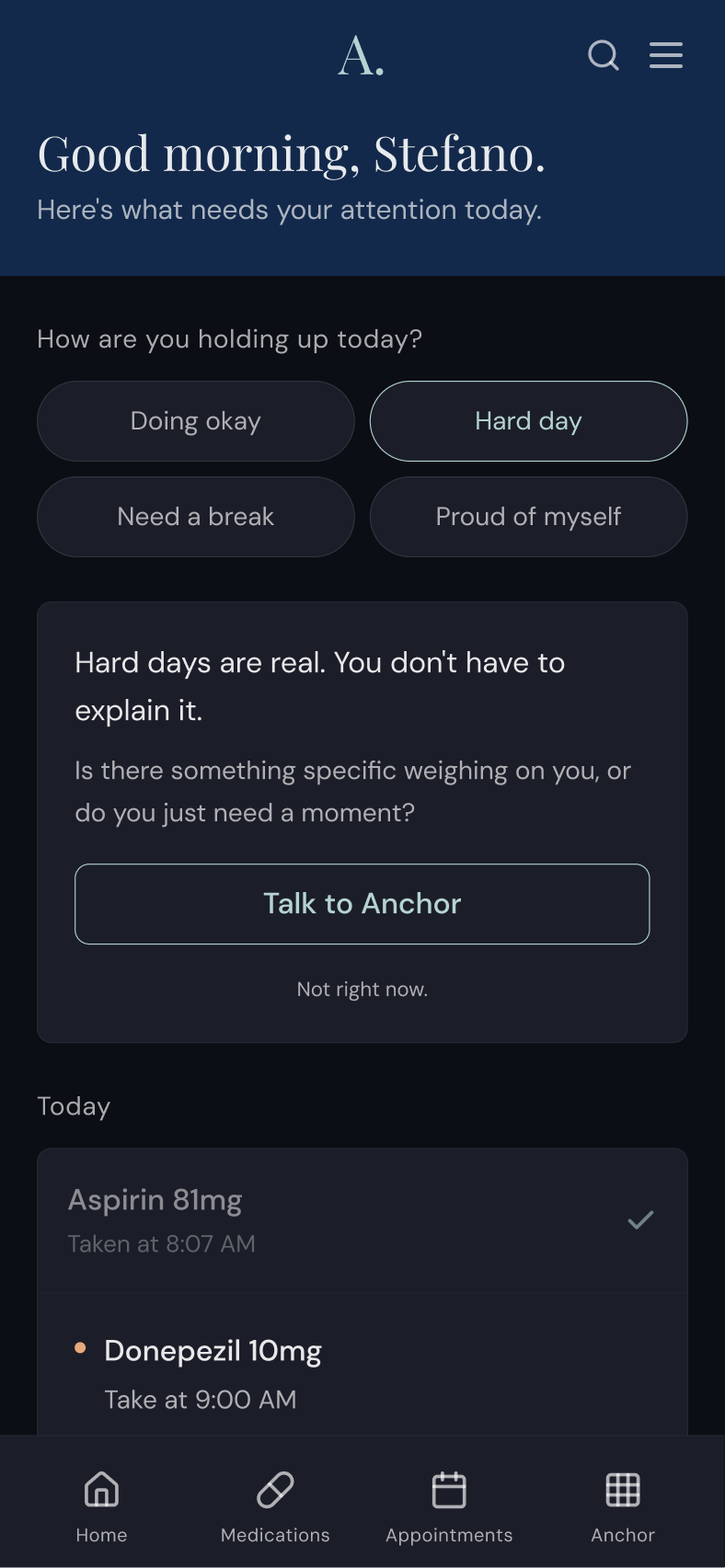
The caregiver check-in sits at the top of every session. It is a simple question with four options in two visible rows, so it never reads as a form or a clinical assessment: “Doing okay.” “Hard day.” “Need a break.” “Proud of myself.” Tapping one prompts a brief, direct response right on the dashboard, with the option to continue the conversation with Anchor.
-
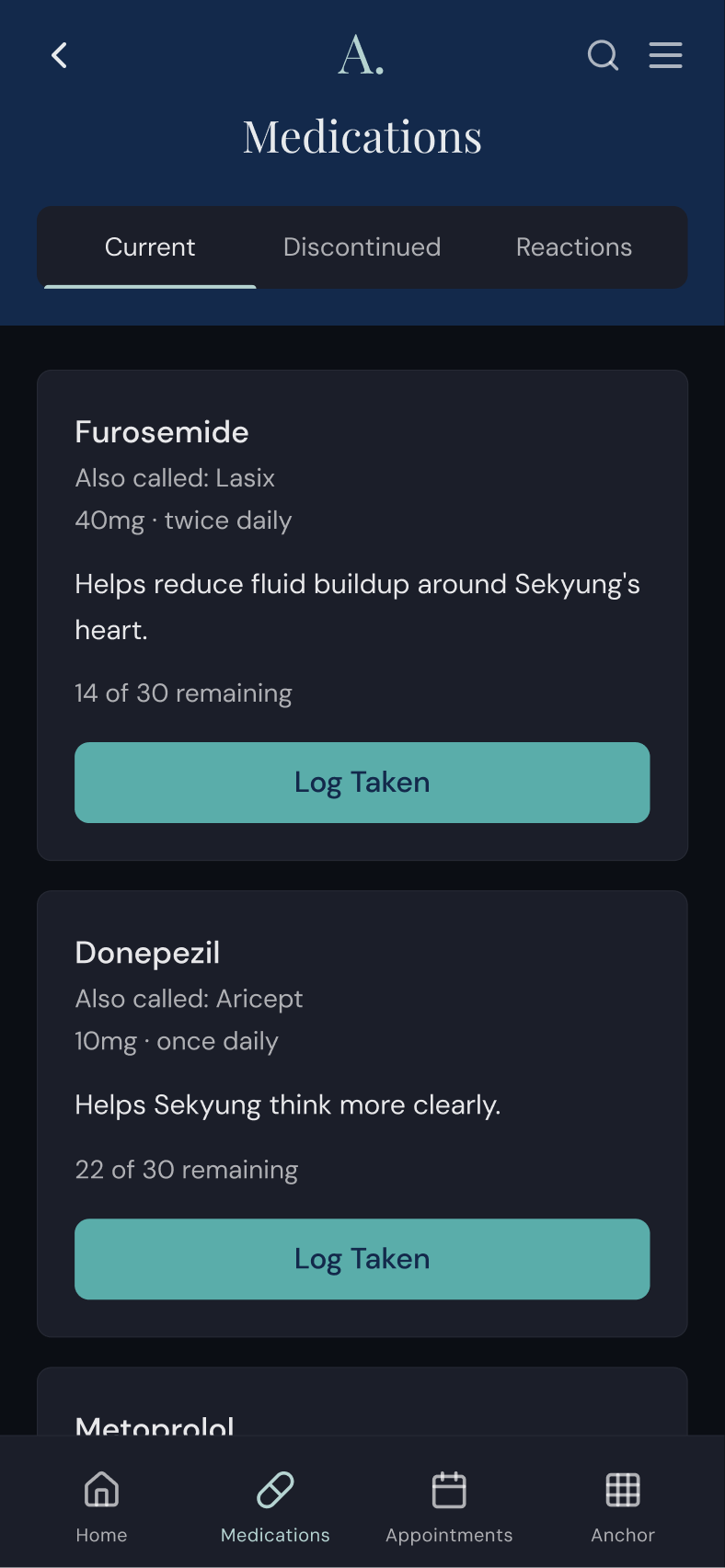
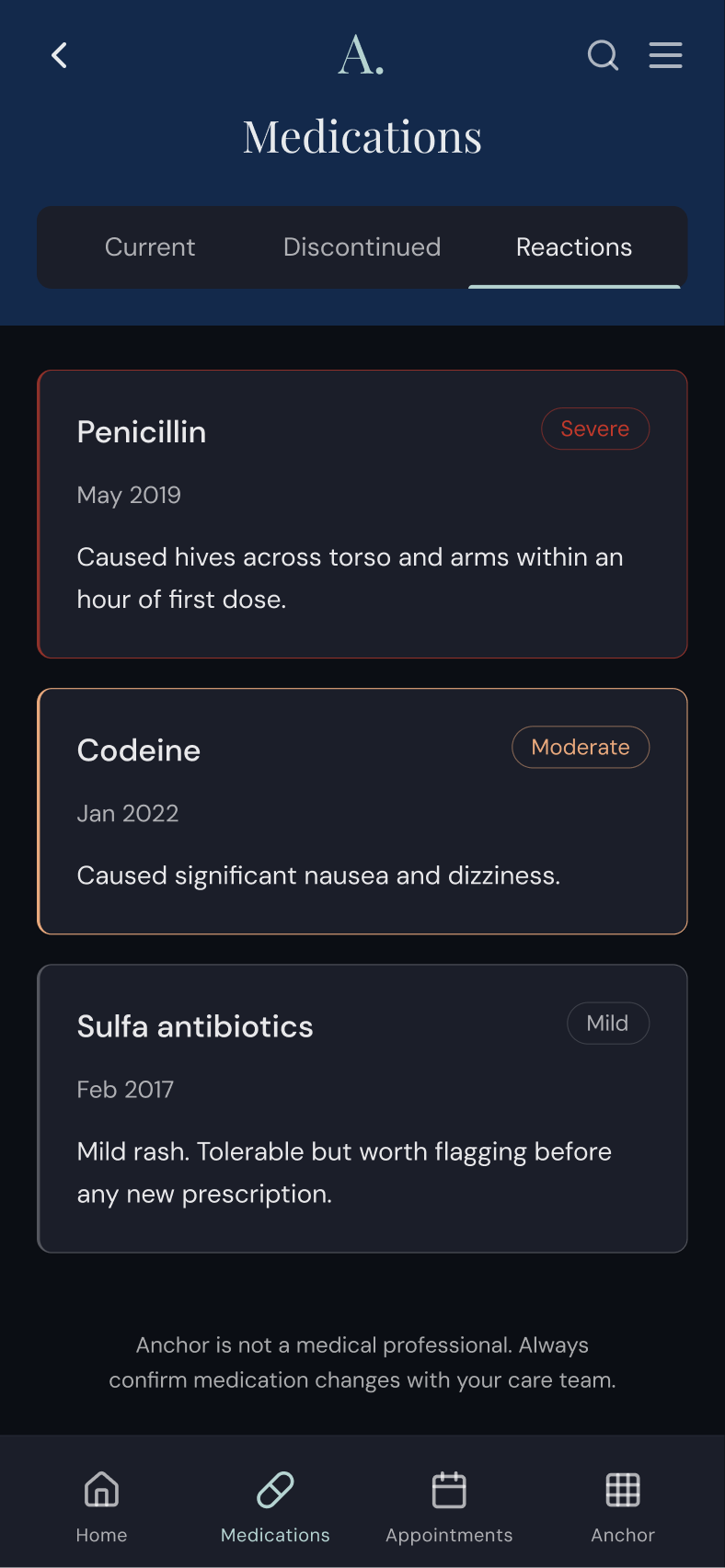
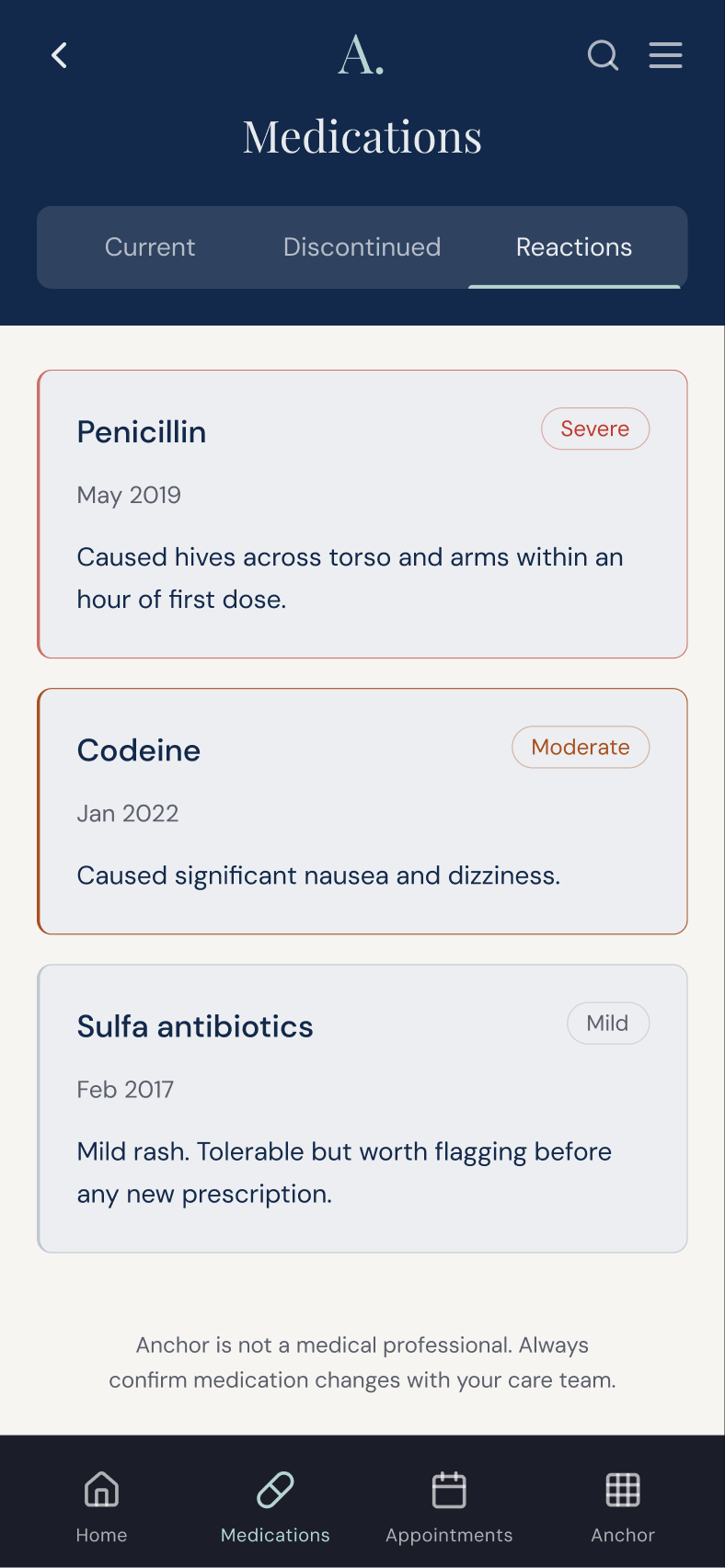
Medications exist in three states, each with its own tab: Currently taking. Discontinued. Reactions.
After years of caregiving, the medication history is as important as the current list. A doctor asking "has he ever taken Lisinopril?" deserves a real answer, not a reconstruction from memory. The discontinued tab shows when a medication was stopped and why, in plain language: "Switched to Losartan due to persistent cough." The reactions tab shows what happened: specific, dated, severity-coded. Three levels: Mild, Moderate, Severe.
Every medication card includes a plain-language description of what it does, like “Helps reduce fluid buildup around the heart” rather than a clinical indication: something a person can hold onto and repeat to the next specialist.
Supply levels are monitored quietly. Low supply triggers warm amber text, just enough signal to act before it becomes a crisis.
The logged state matters too. After confirmation, the "Log Taken" button becomes a ghost "Logged ✓" in teal.
-
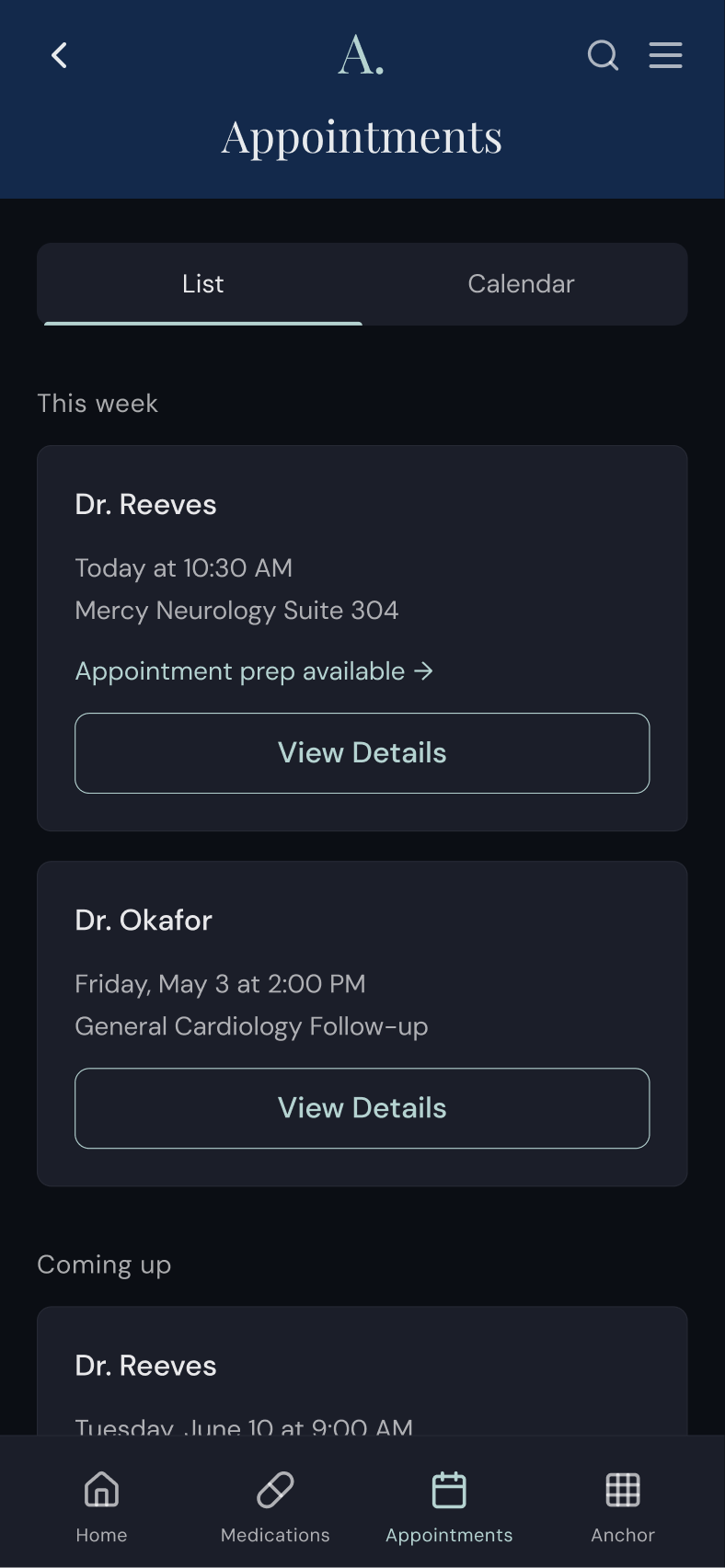
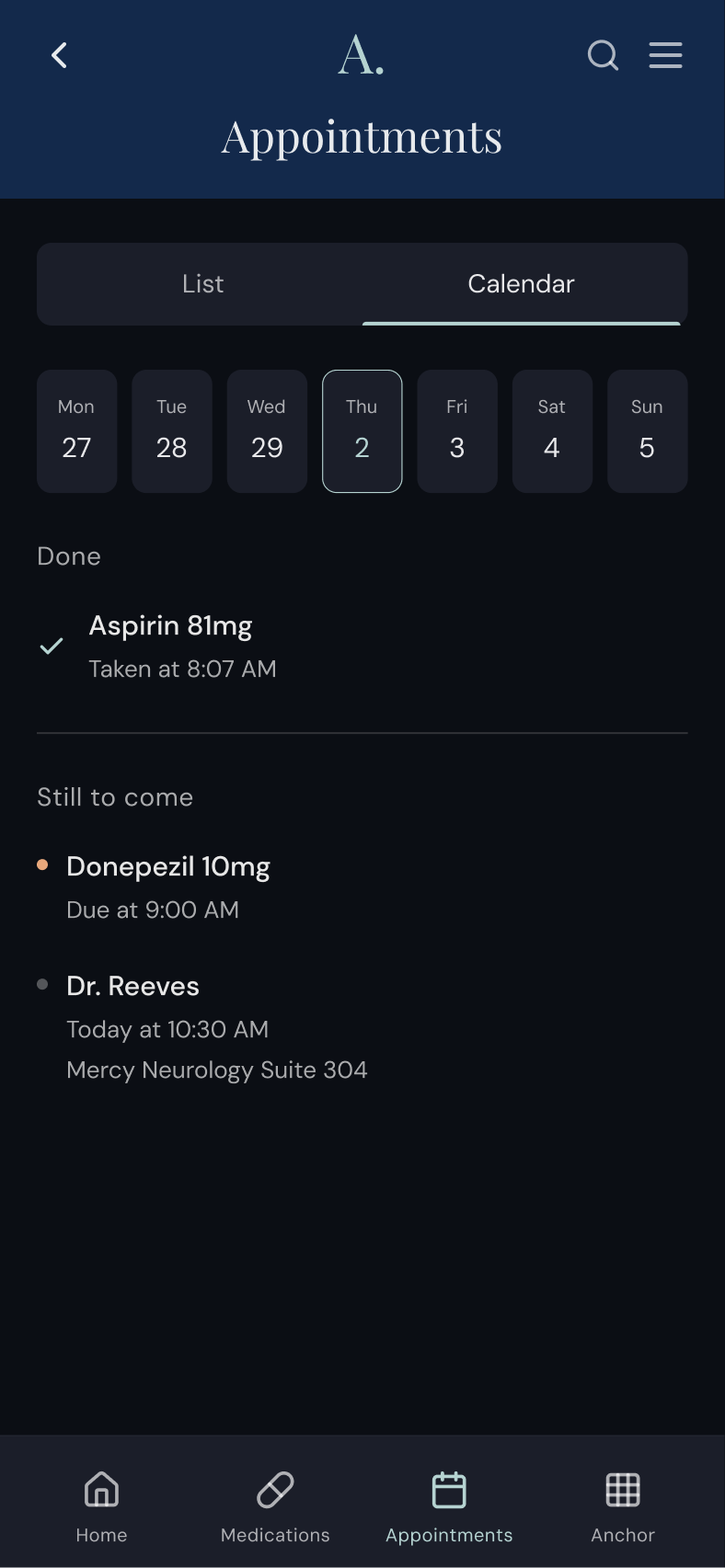
The calendar works less like a scheduling tool and more like a receipt and a map together.
A 7-day strip shows the current week. Past days show what happened under the label “What happened” deliberately not “History” or “Log”. Medications taken with timestamps, or "Missed" in amber if skipped. Future days show what's scheduled under "Coming up." Today shows both. "Done" above a thin divider and "Still to come" below.
The day of the week is always spelled out: 'Thursday, May 2,' not just the date. Because a Tuesday at noon appointment is a different logistical problem than a Saturday morning one, and caregivers are managing their own lives alongside everything else.
-
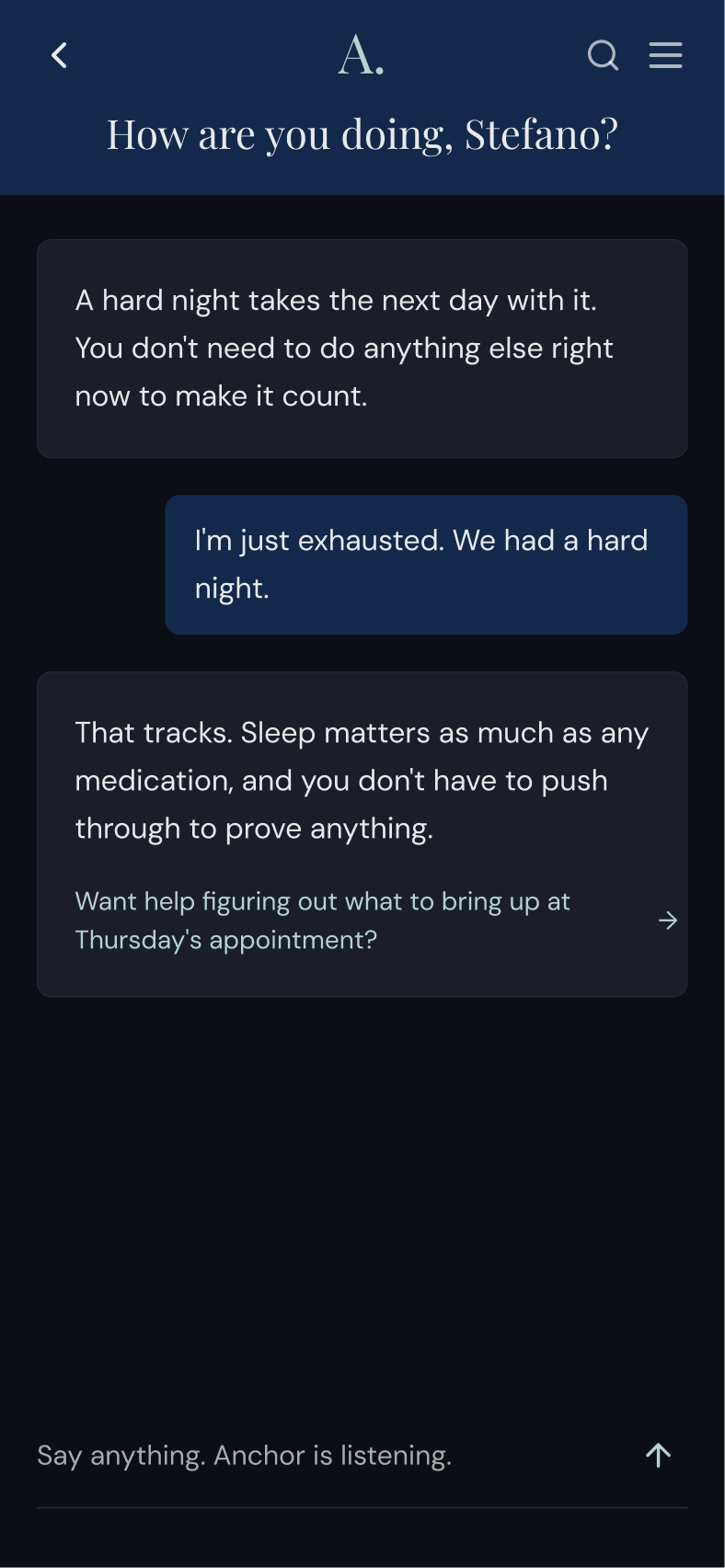
Anchor includes an AI companion built into the care ecosystem. It knows the patient's profile, speaks in plain language, and never diagnoses or prescribes.
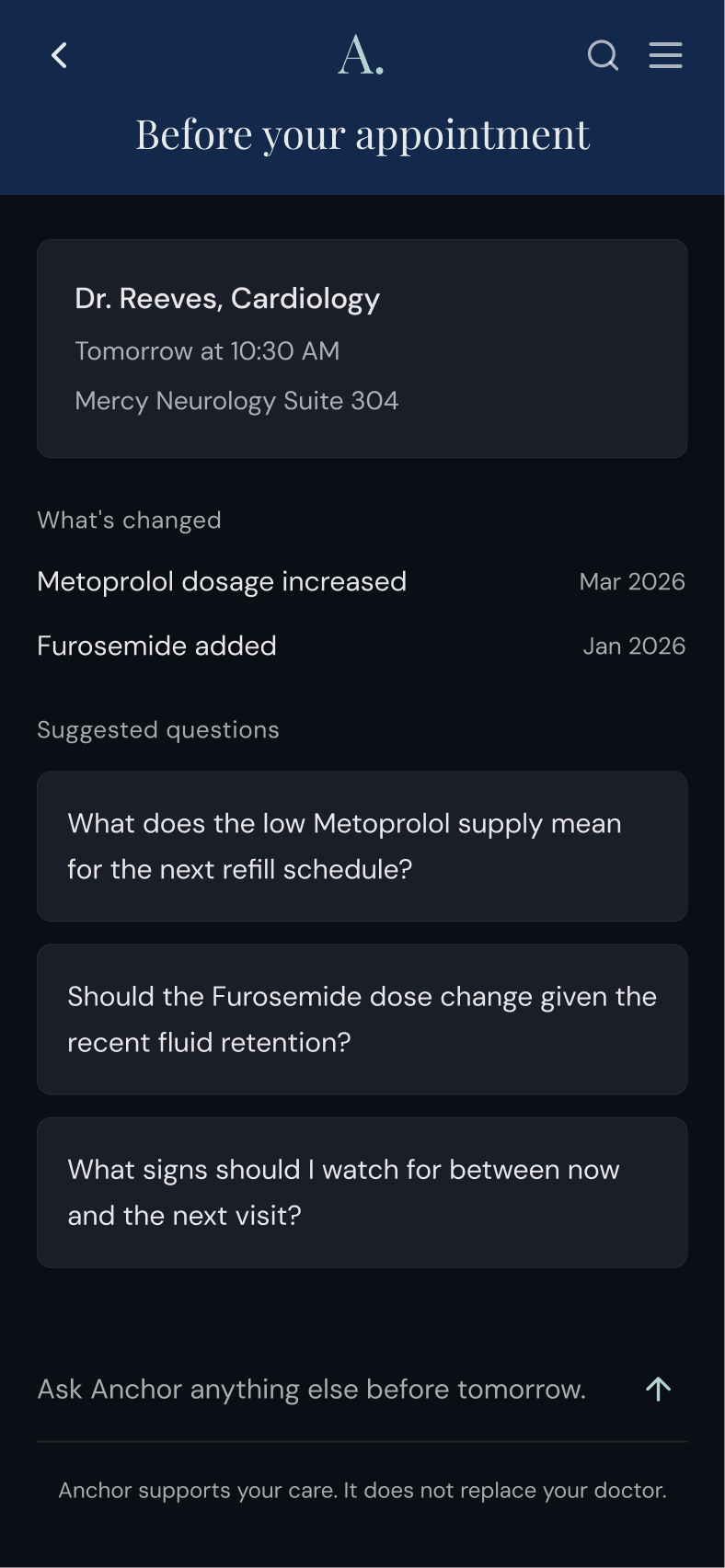
What it does: explains what a medication actually does in terms a person can repeat. Translates test result language. Surfaces suggested questions before a specific appointment with a specific doctor, based on what's changed since the last visit. And when a caregiver opens it after a hard night, meets them where they are before offering anything informational.
The companion has two entry points reflecting two different needs. From the caregiver check-in, it opens in emotional mode, where the conversation is the thing. Ahead of a specific appointment, it opens in informational mode: suggested questions based on what's changed since the last visit, a text input, and a persistent footer: "Anchor supports your care. It does not replace your doctor."
That footer line is both a disclaimer and a design principle. The companion helps people prepare for conversations with their care team, and it leaves diagnosis to clinicians.
-
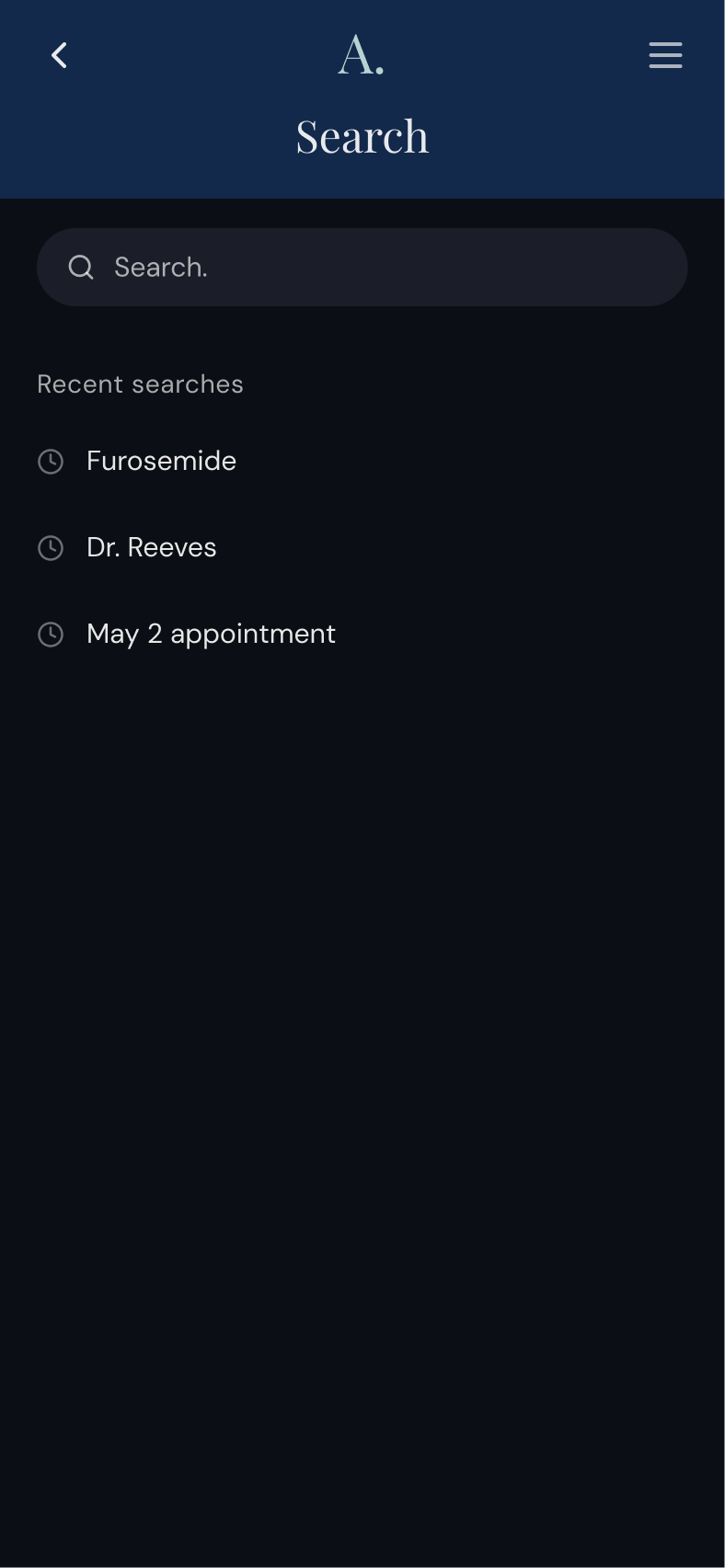
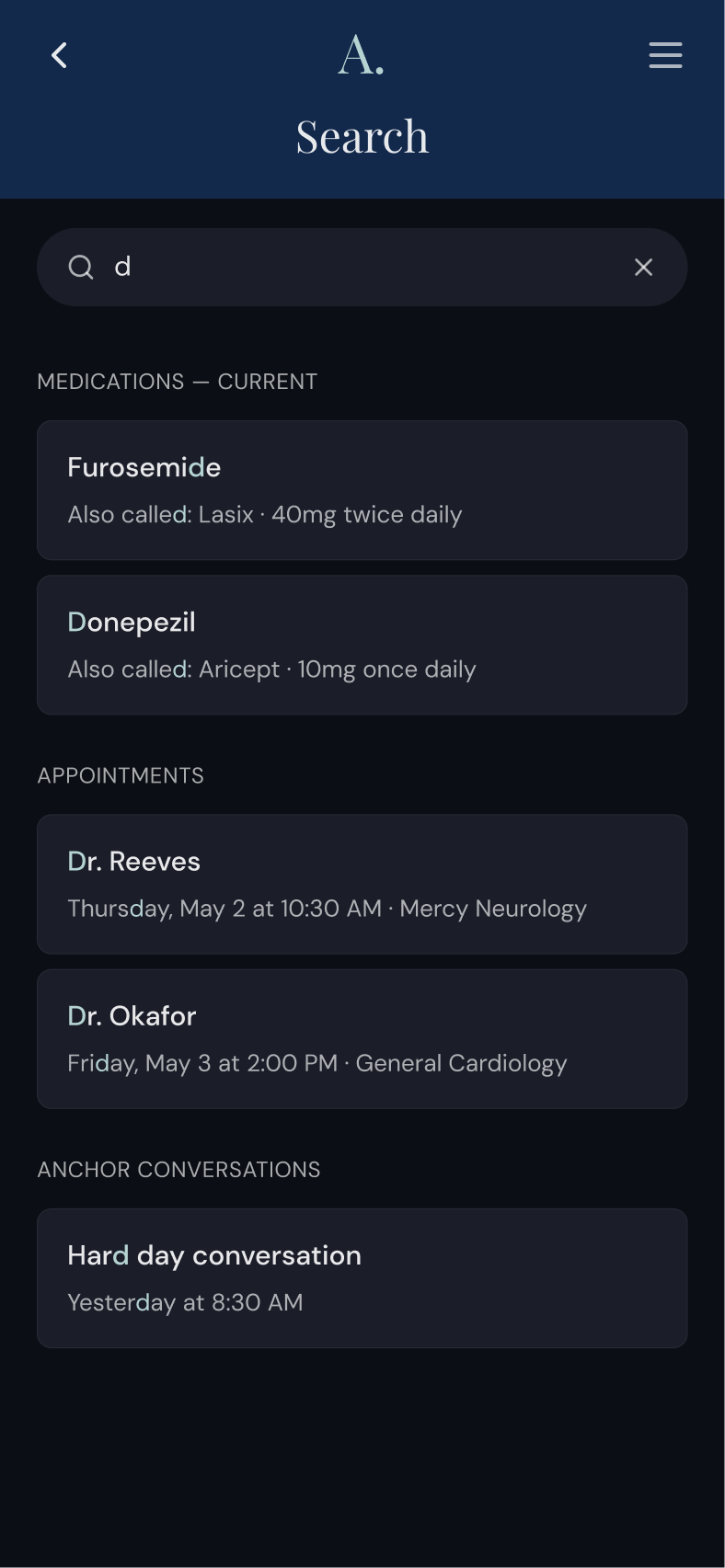
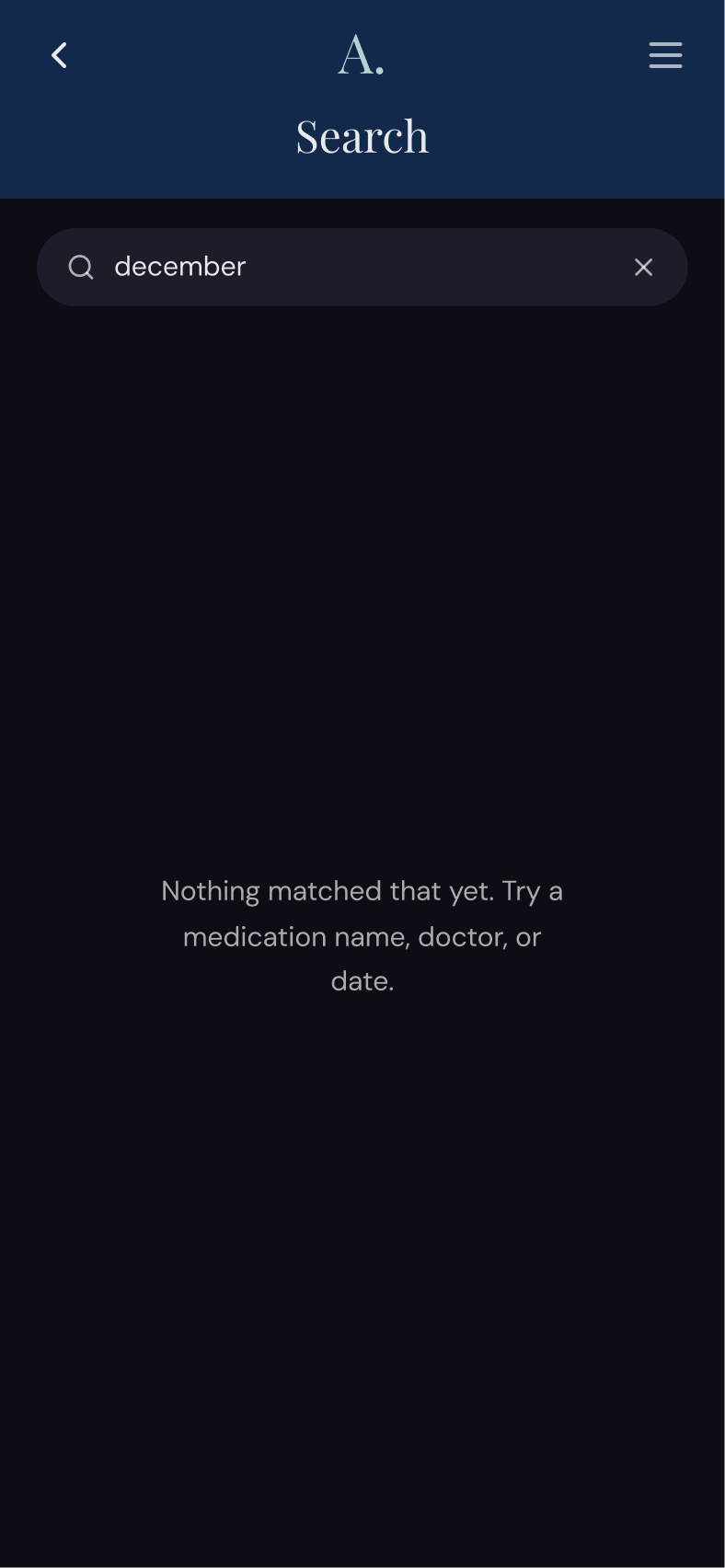
A persistent search bar lives at the top of the home screen and collapses to a header icon on every secondary screen. It crosses every data layer simultaneously: current medications, discontinued, reactions, appointments, calendar history, past companion conversations.
Typing a medication name surfaces its card from whichever tab it lives in, with its visual treatment intact. Typing a doctor's name surfaces every appointment chronologically. The caregiver sitting in an exam room can find anything in seconds without navigating section by section under pressure.
Redundancy is intentional by design. Each user navigates differently, and that same user also navigates differently depending on what kind of day they're having, which is why multiple paths to the same information count as an accessibility principle, not a failure of hierarchy.
THE COMMUNICATION BOARD
A shared language layer for the full care relationship.
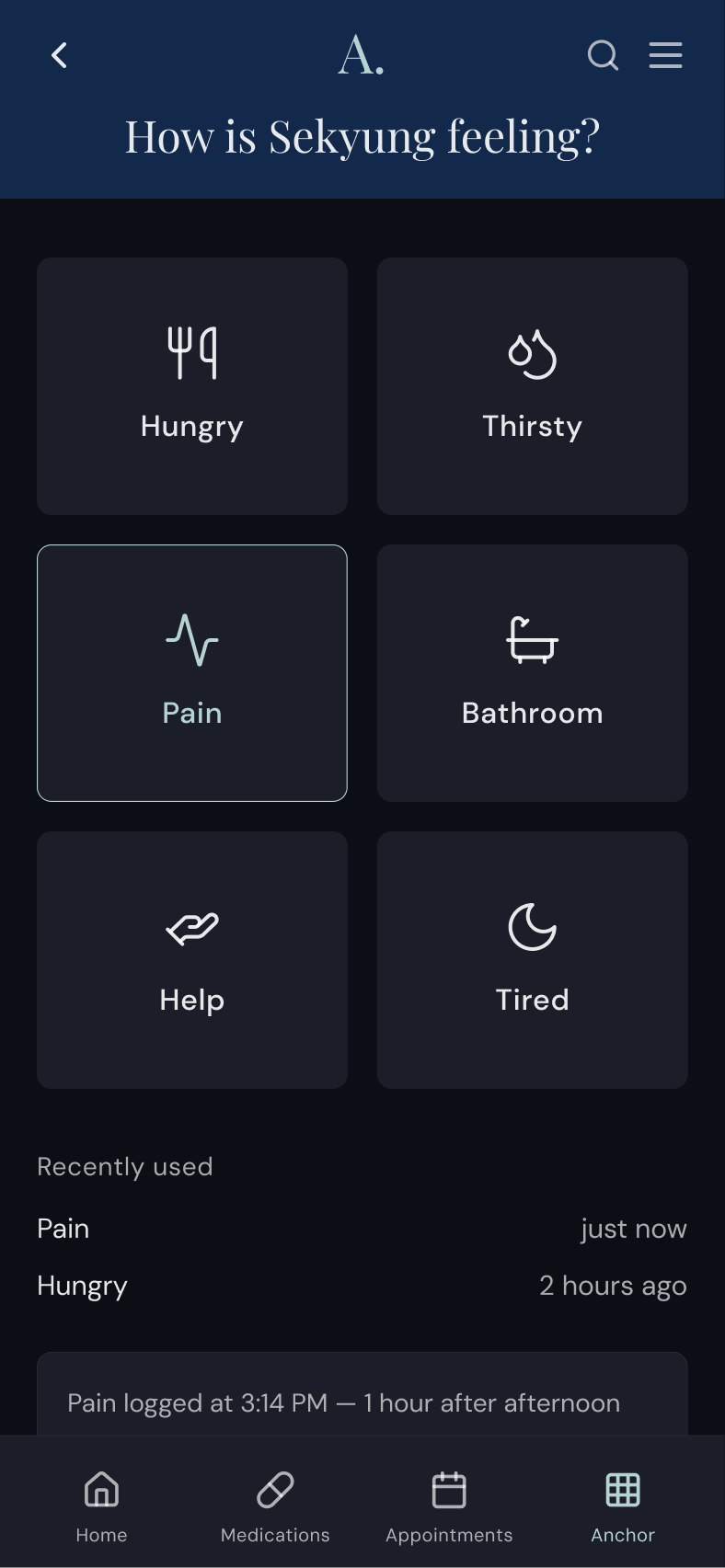
The communication board is a simple, tappable interface for logging how the person in your care is communicating their experience, whether that's pain, hunger, thirst, or fatigue, in the moment, without relying on memory later.
That pattern, logged and timestamped, becomes clinical information. When a care recipient communicates pain repeatedly on a Tuesday afternoon, an hour after their afternoon dose, that is a data point that currently lives nowhere else. Anchor captures it as a byproduct of normal use.
Phase 1 covers one-directional logging. The longer-term goal is a board that works in both directions, responds to context, and is open to everyone in the care circle. That means a caregiver being able to communicate back to the care recipient, boards that activate based on the day's scheduled events, communication events logged to the care timeline, and boards shared across the entire care circle so a sibling taking over for a weekend opens the same configured system without a rushed handoff text. Customization would go beyond generic icons to include photos, specific names, and emotion states beyond physical needs.
This matters whether the care recipient is communicating directly or a caregiver is logging on their behalf. For autistic and other neurodivergent people, people with dementia, stroke survivors with aphasia, or people with ALS, communication itself becomes part of the care work. A clear, low-stimulus, predictable communication interface is better for any human in a stressful medical moment.
WHAT THIS IS NOTHonest about the scope.
Anchor doesn't replace clinical care. It makes the care that exists actually navigable.
The app surfaces a care team handoff prompt when a question exceeds its scope with reminders using honest, plain language rather than performing a certainty the product doesn't have.
THE ROAD AHEADBuilt in phases and grounded in reality.
The product on this page is Phase 1. What's in front of me is building something caregivers actually want to use. I’ll earn everything else from there.
Phase 1: Standalone Caregiver Tool
Users enter their own data. The value is in the design (the cognitive accessibility, the emotional intelligence, the longitudinal memory layer). No EHR integration required. No institutional partnership. No HIPAA compliance infrastructure beyond responsible data handling.
Phase 2: FHIR Integration
The 21st Century Cures Act mandated that EHRs expose patient data through standardized APIs. A patient can now authorize a third-party app to pull their health records from Epic, Cerner, or Meditech without the hospital's permission. Phase 2 uses this to reduce manual data entry like medications and appointments pulled automatically, with user authorization. This is where HIPAA compliance infrastructure becomes relevant and where the product's clinical utility expands significantly.
Phase 3: Institutional Conversation
Partnerships with health systems who want to offer caregivers something MyChart cannot. By this point there are users, retention data, and proof. Patient engagement is a metric health systems are measured on. A product their patients use and trust is leverage, not a sales pitch.
STATUS